Hyper-Personalized Software Is Now Accessible to Everyone
A few weekends ago, I had a group of mom friends over to vibe code on my patio. They work in healthcare, marketing, education, and finance. None of them are software engineers, and a year ago none of them would have had a reason to build their own app. By the end of the night, every one of them had a working prototype. My 13 year old daughter was at the table too, building a homework planner that maps assignments across her class schedule in the exact way she wants to plan.
That patio session is what made me sit down to write this. For most of the history of software, building an app for an audience of one didn’t make sense. The fixed cost of building it was too high, and the audience was too small to justify the work. That math has changed. Coding agents collapsed the cost of building software to the point where the audience can be one person, one family, one neighborhood, or one team. The on-ramp to building software just opened, and the people taking it are often not engineers.
I have been writing about where this was headed for over a year, starting with my review of AI 2027 and continuing through my coverage of the Moltbook moment, the agent social network that put agentic behavior on public display. The theme across those pieces is the same. The shift from AI advisor to doer is the main event. What I did not appreciate until this year is how far along the accessibility curve it has already pushed.
Agents Moved AI From Talking to Doing
A year ago, coding assistants were smart autocomplete. You wrote the code, the model finished your sentences, and you stayed in the driver's seat. That is not what is happening now. A coding agent today has a brain, your file system, a browser, and permission to act on your behalf. You tell it what you want, it goes off and builds, and it comes back with a result for you to evaluate.
Developers have been talking about this for a year, calling it the move from writer to editor, or from engineer to manager of agents. What I keep noticing about the patio crowd is that they skipped that transition entirely. None of them ever wrote a line of code. They walked in as editors and managers from day one.
A Quick Note on the Tools
I am going to talk about Claude and Anthropic's products a lot in this post because that is what I use. This is not the only path. OpenAI has ChatGPT, Codex, and custom GPTs. Google has Gemini, Jules, and custom Gems. Notion AI agents let you build inside the workspace you already use. Manus and Hermes Agent are autonomous agent options. And app builders like Cursor, Windsurf, Replit and Lovable build full web apps without writing code.
The point is that the toolbox is varied enough now that any person can find an on-ramp. The pattern of what I am about to describe applies across all of them.
What I Built
I built Supper Club, a cookbook that plans the week. My husband and I both log into it with our own accounts, and lately I have been opening it up to friends and family because giving someone their own account on a thing I built is fun. I’m not pretending it is a business. It is software shaped around exactly how my family runs.
The reason I built it instead of using one of the dozens of recipe manager, meal planner or grocery shopping apps on the market is hyper-personalization. Existing apps make you bend to their assumptions about how you cook, how you plan, how you shop. Supper Club bends around how I actually do those things.
I import recipes from everywhere they live in my life. A link from a food blog. An Instagram video. A photo of a recipe from a cookbook. AI tooling parses them and they all land in one place. I tag and rank them the way I think. Meal planning runs on a Trello style board where I drag recipes onto the week. There is an AI chat meal advisor in the corner that helps me when I need inspiration. The printable weekly menu comes out with a QR code back to the source recipe, so if my husband is cooking he can pull it up on his phone without digging. The grocery list generates itself from the plan, reconciles against my favorites at the stores I shop, and formats two different ways. One version for the physical store. The other formatted to paste into the AI browser extension of your choice, so you can open your grocery store's site and let the agent shop for you. That feature set does not exist in any product on the market because the market for it is one family. That used to be a non starter. It is not anymore.
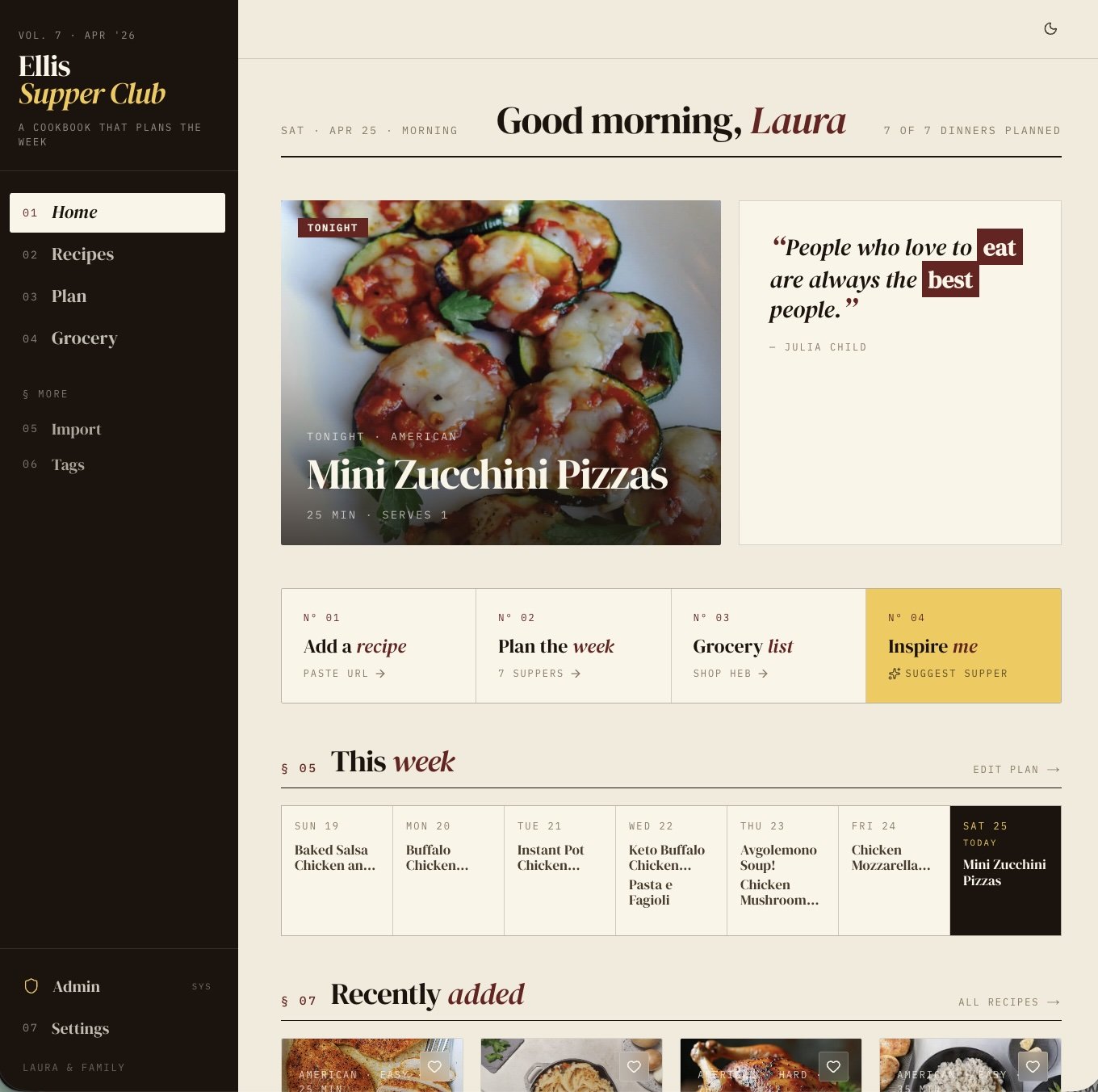
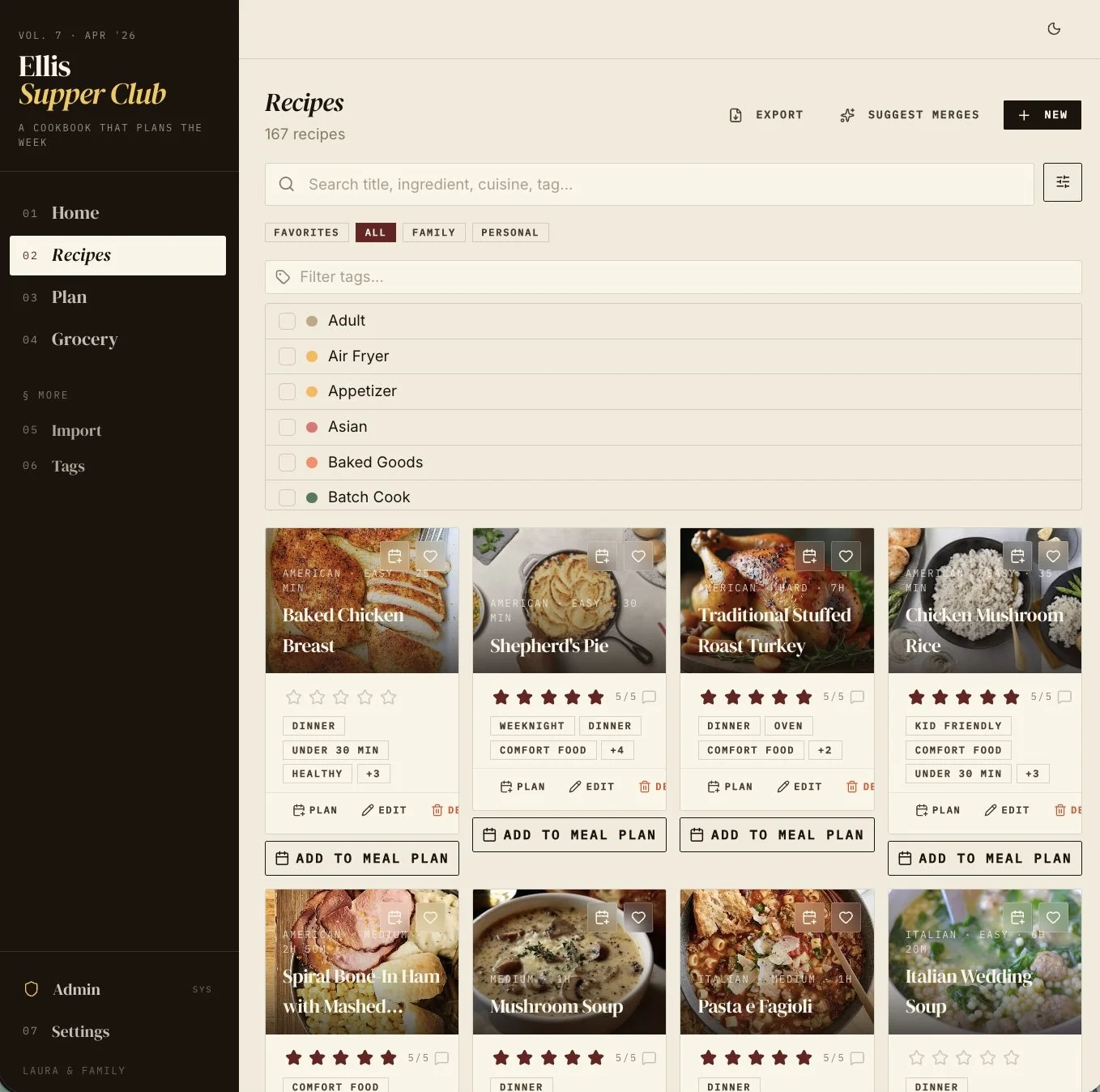
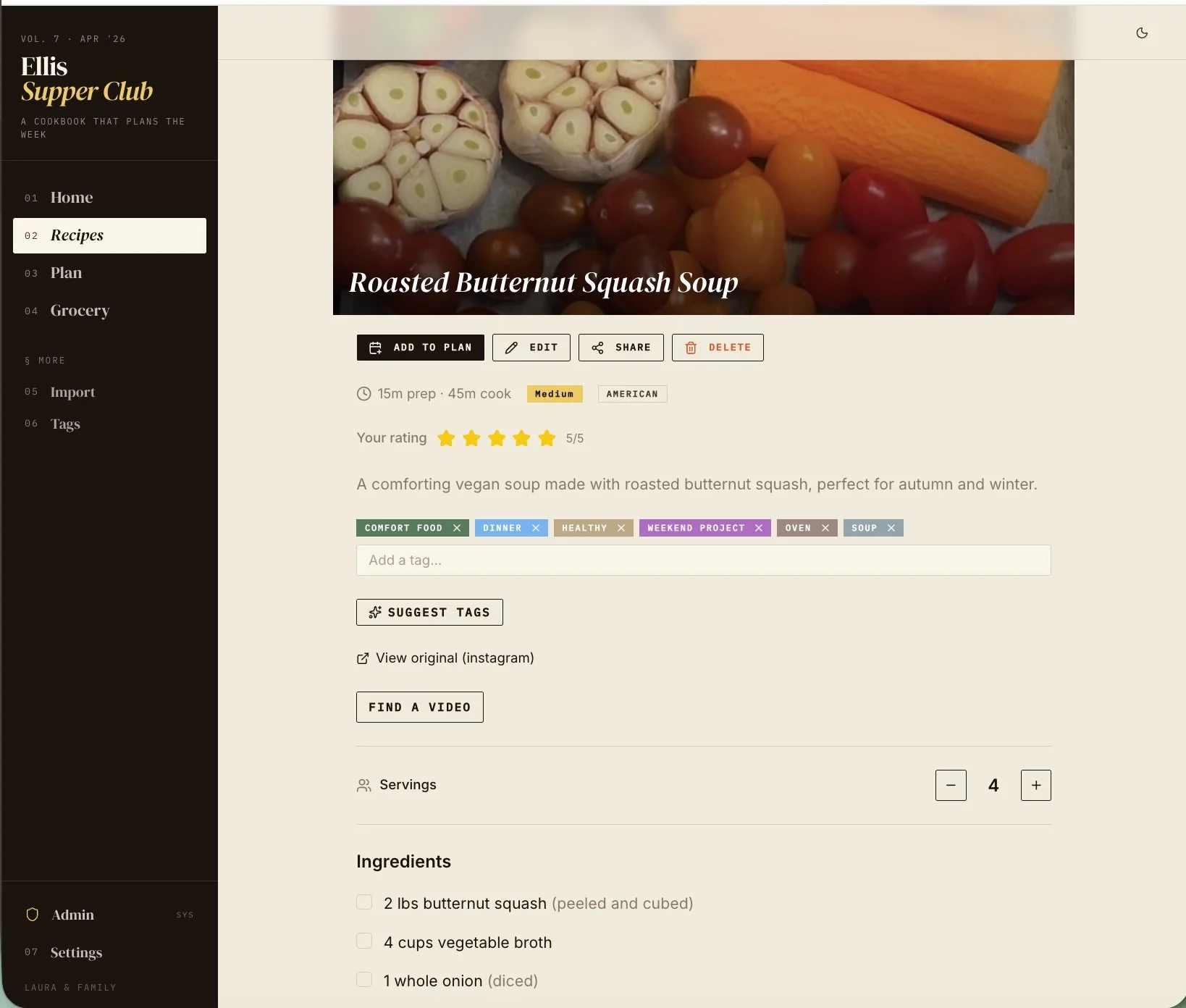
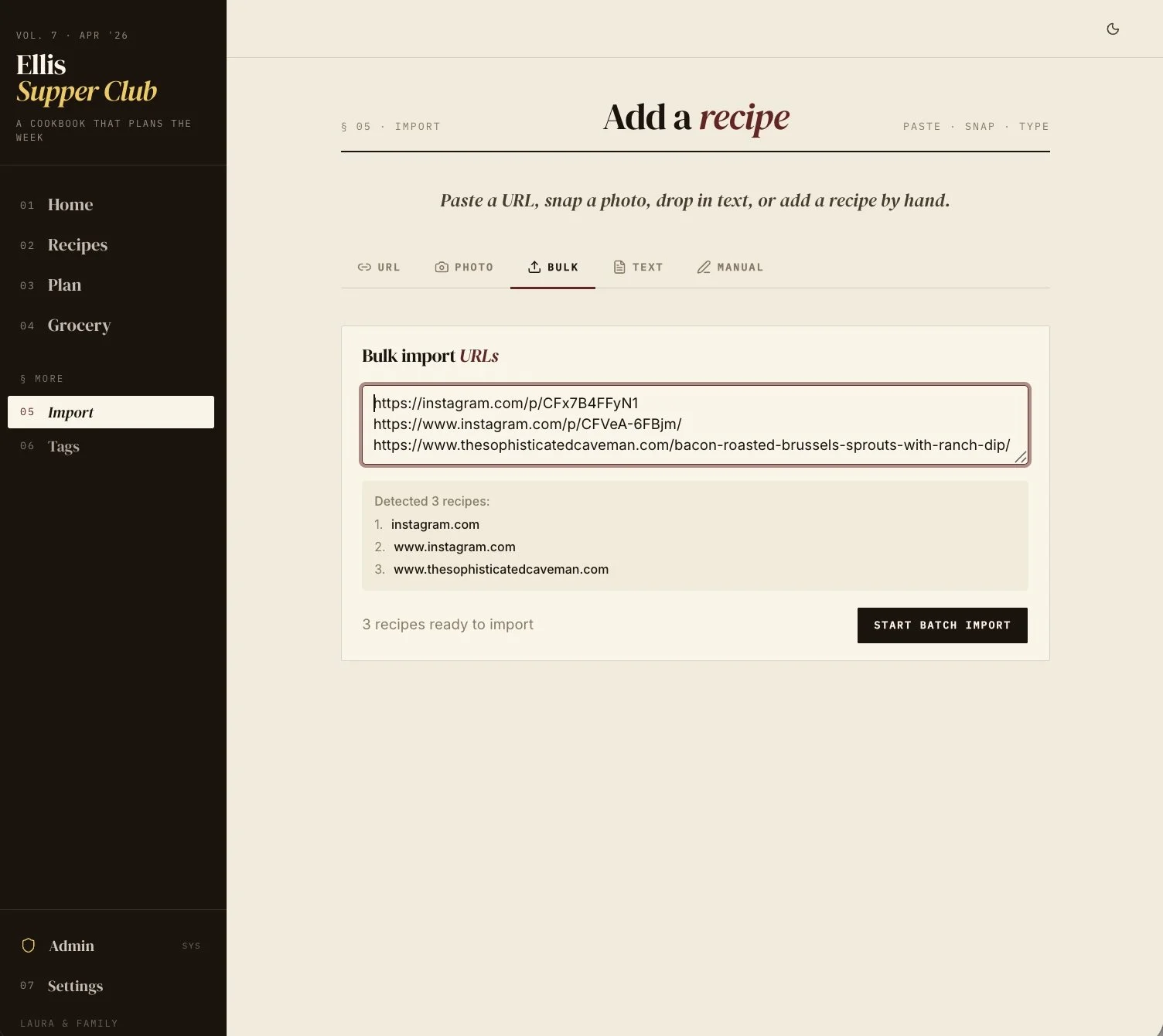
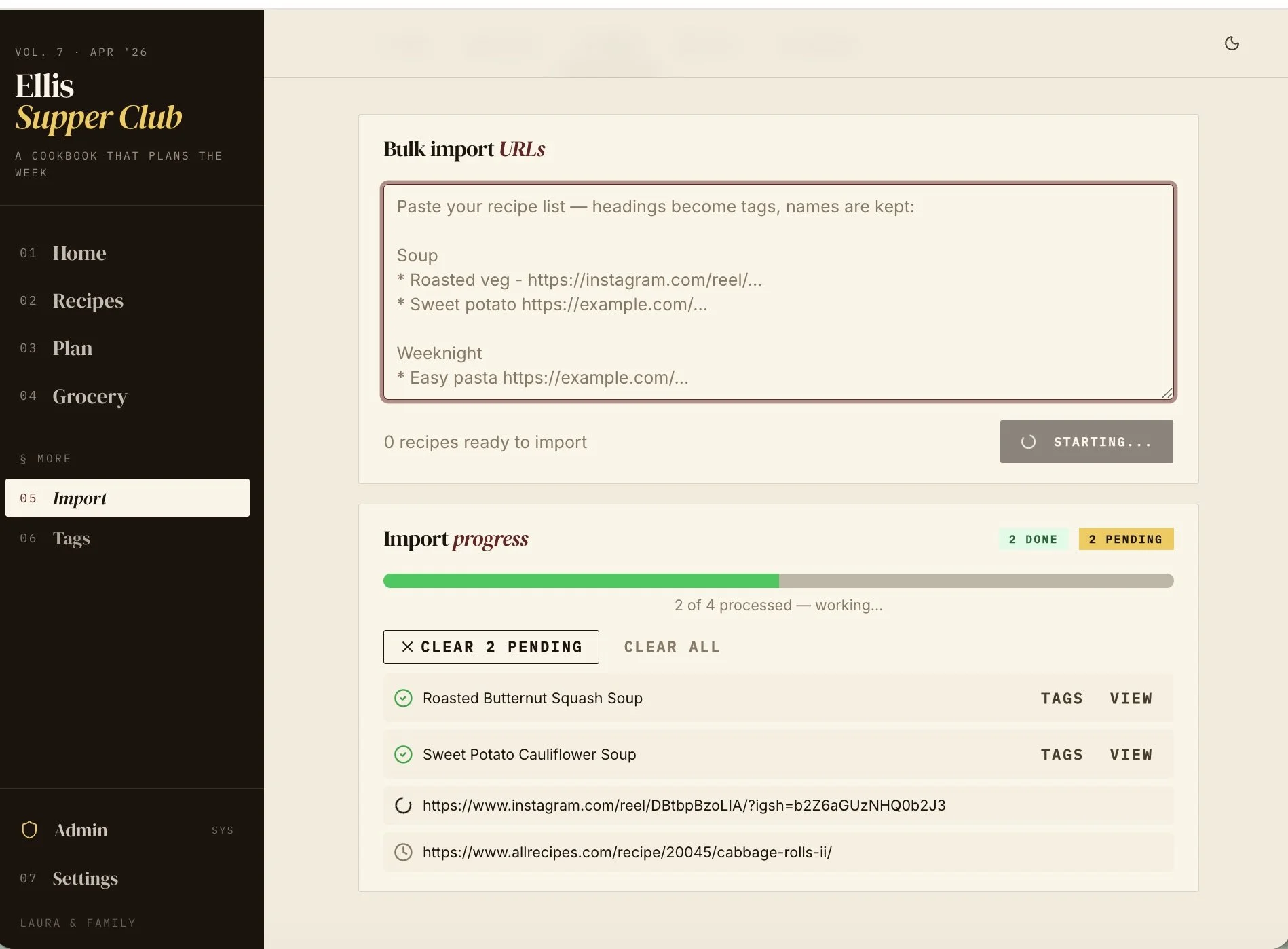
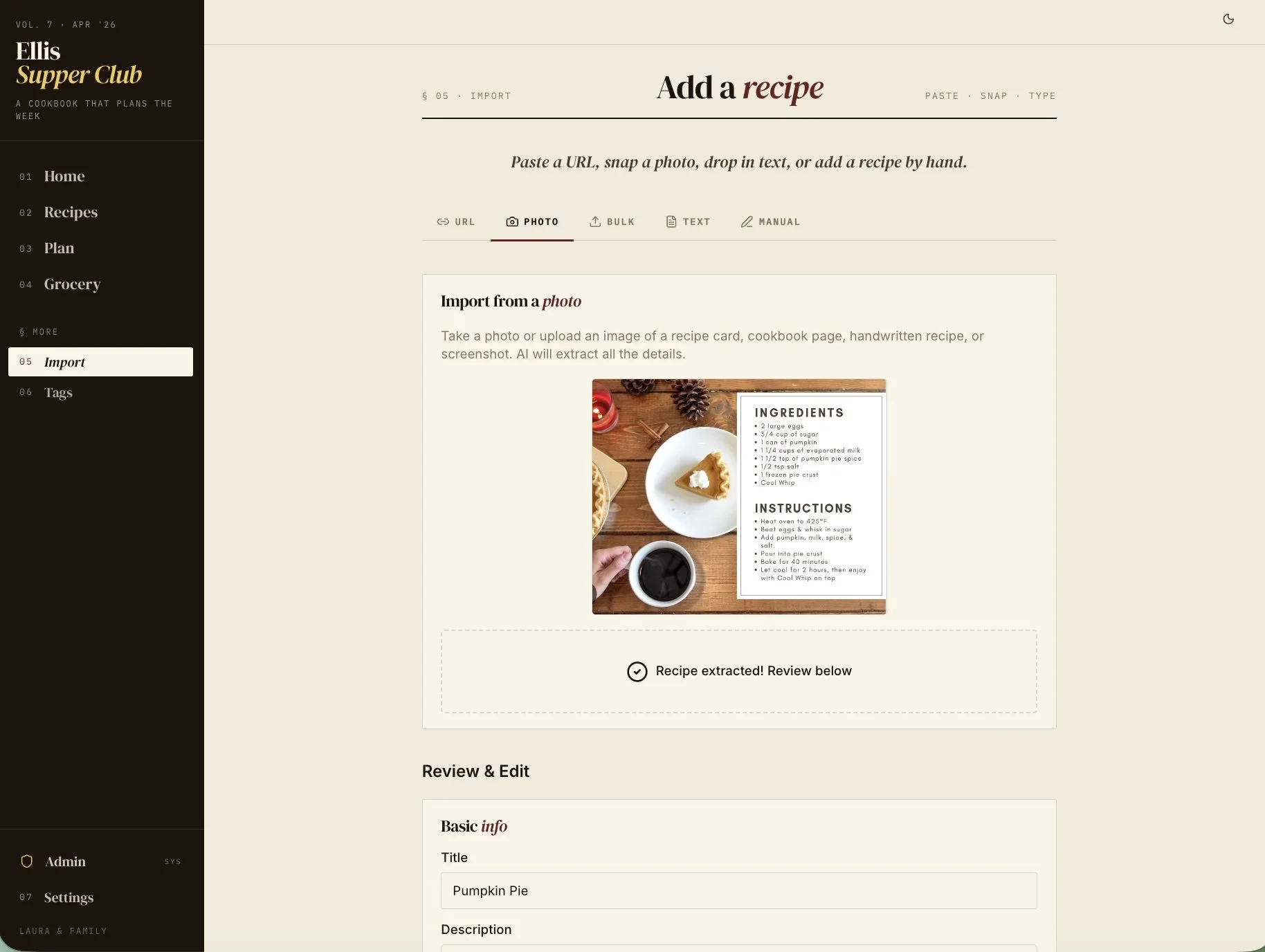
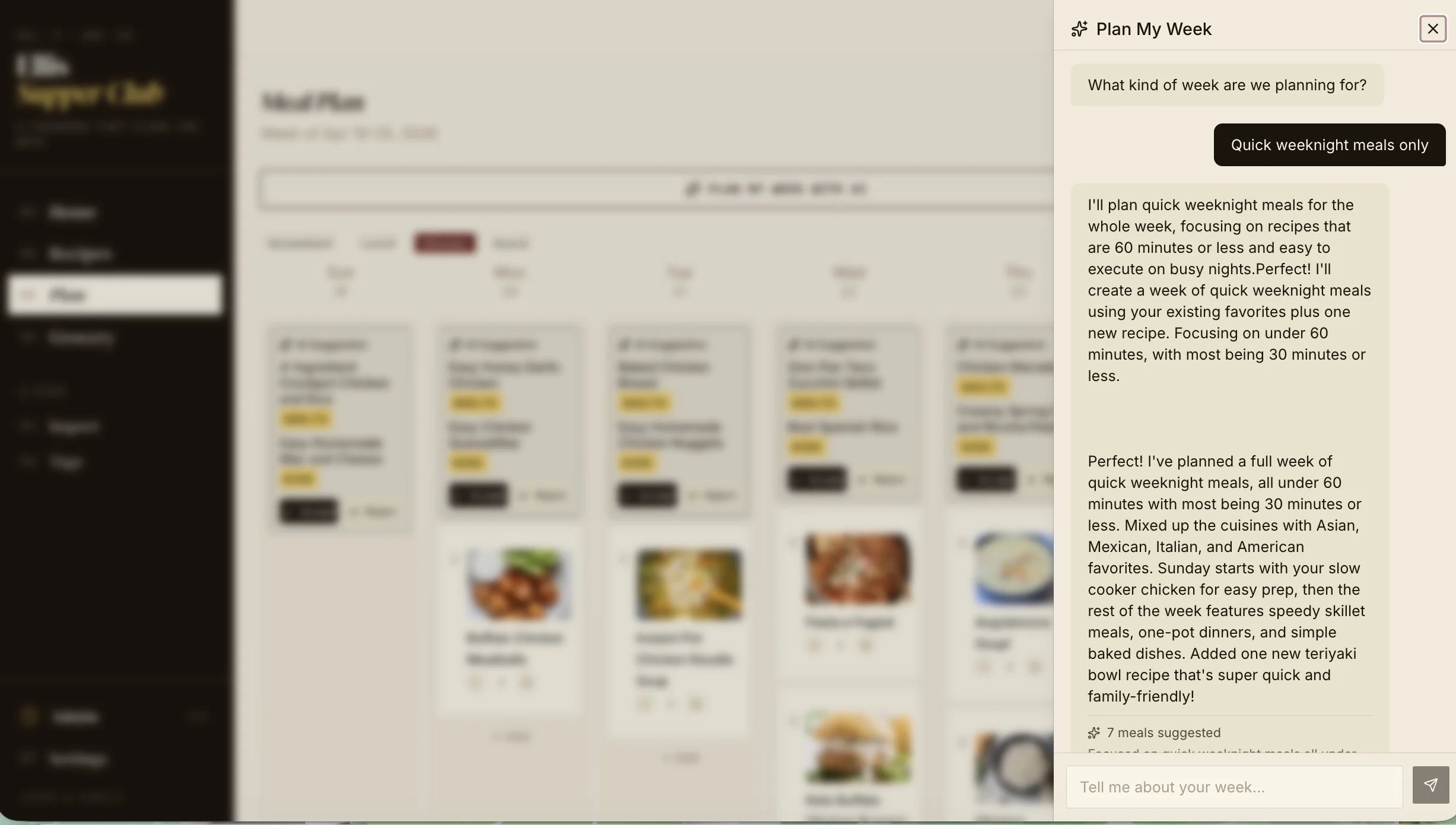
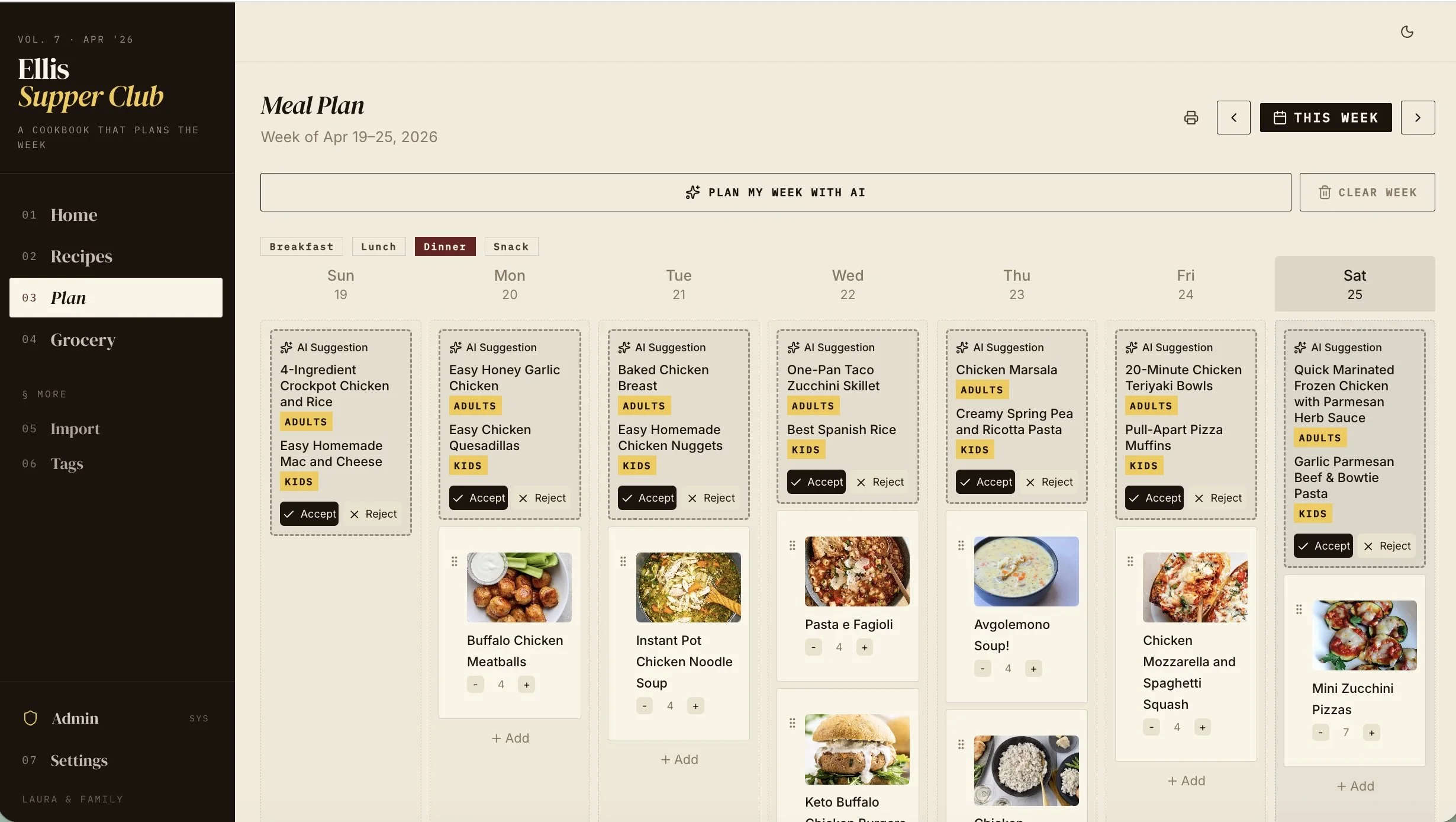
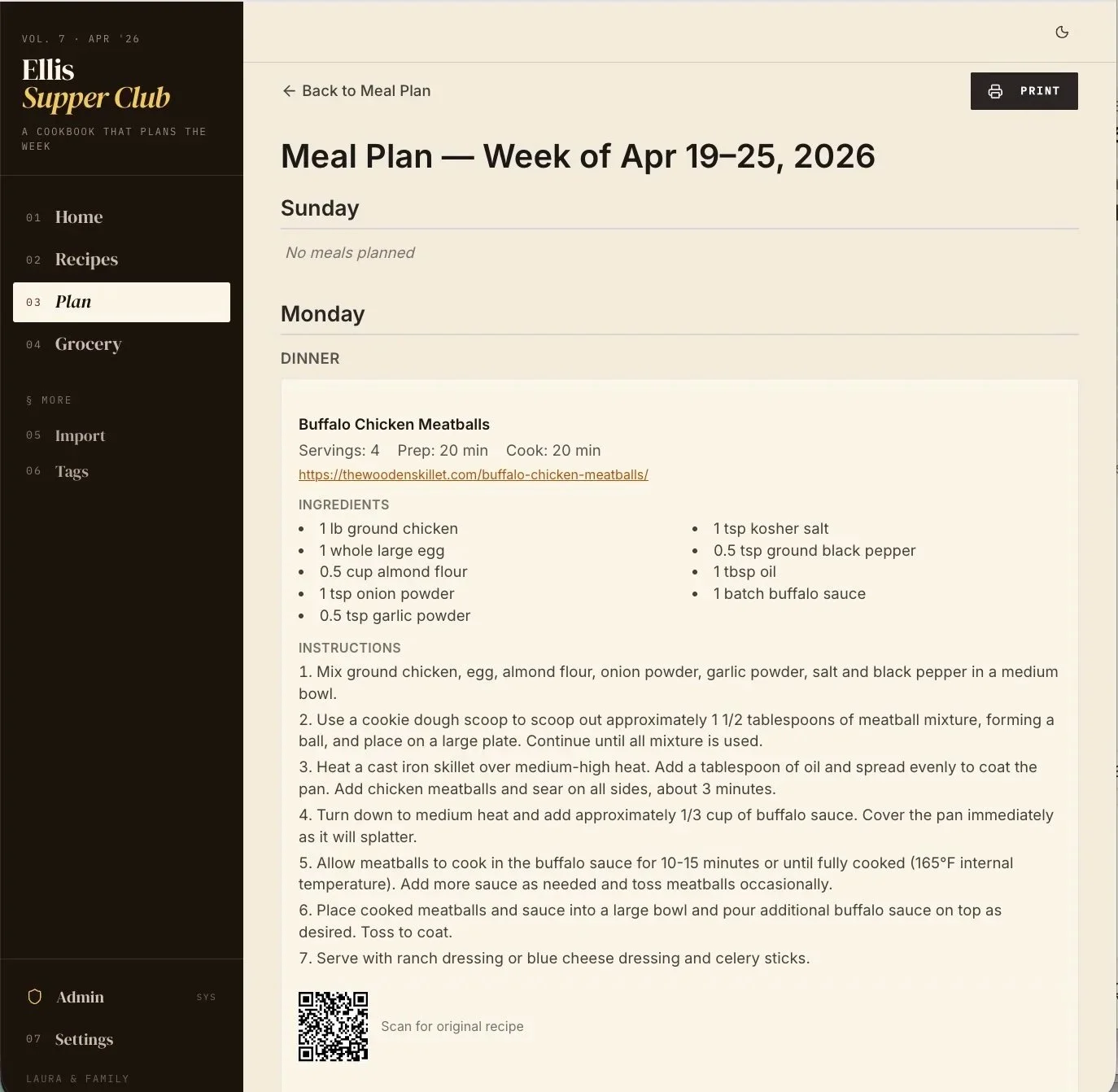
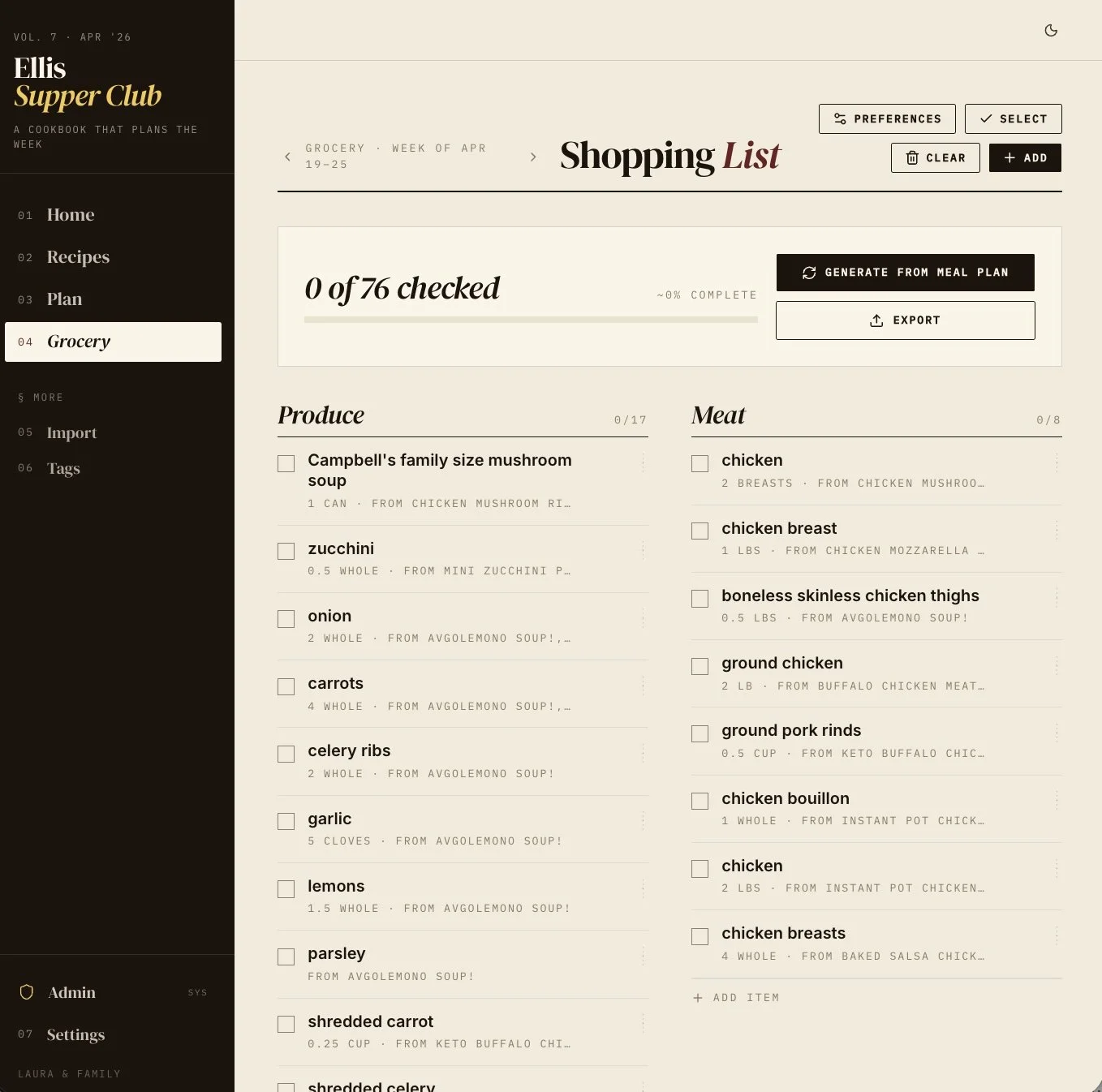
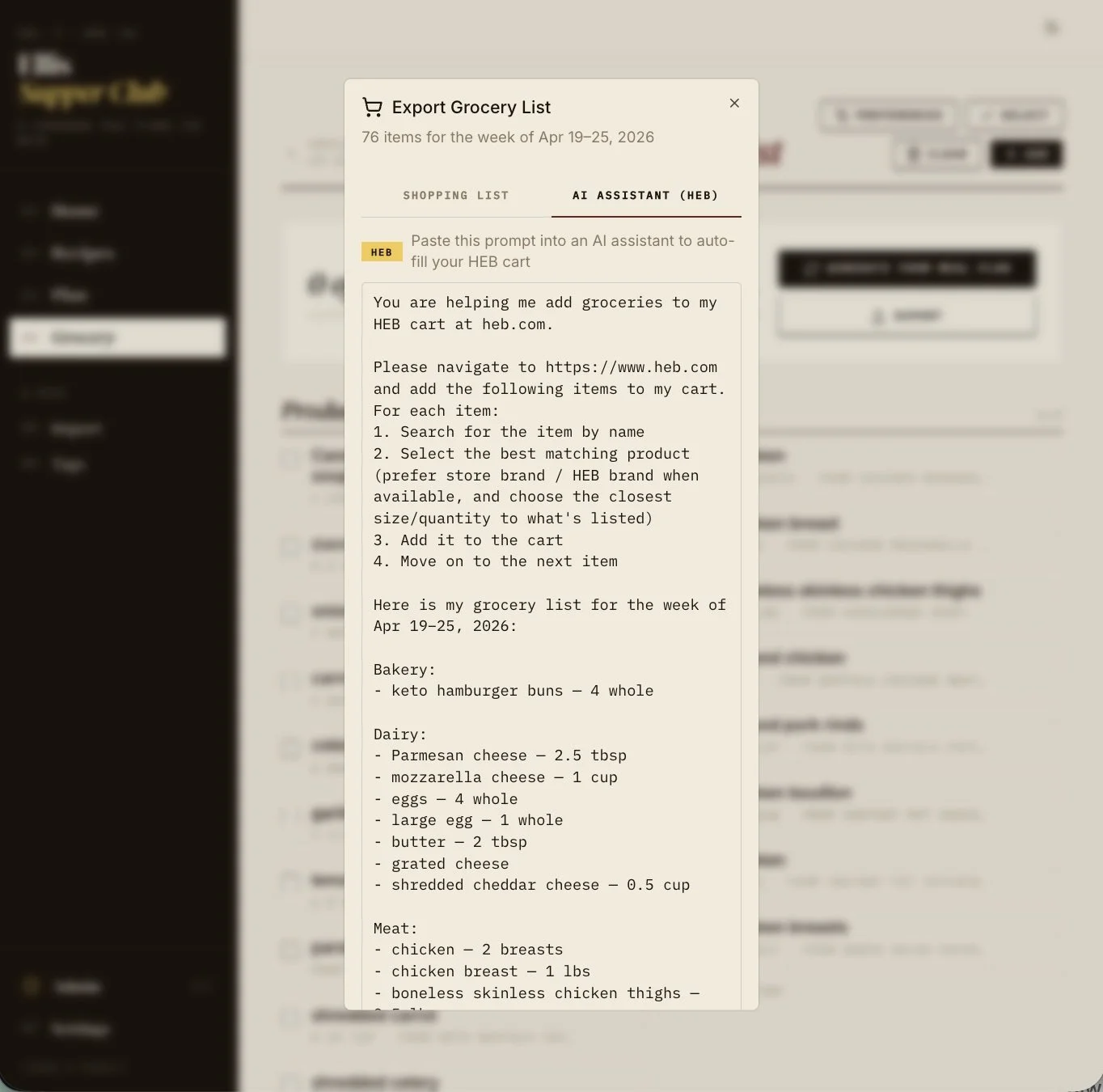
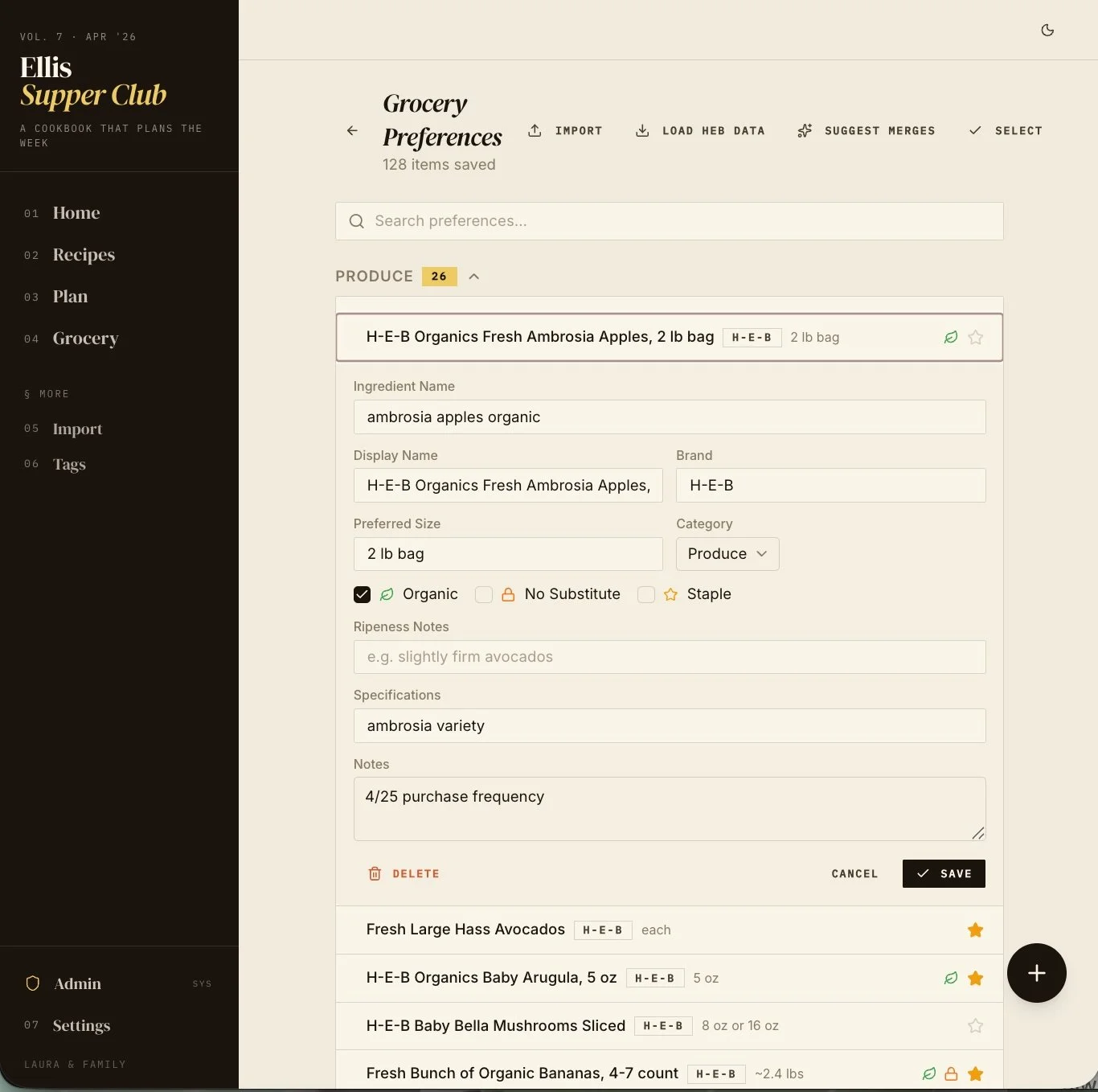
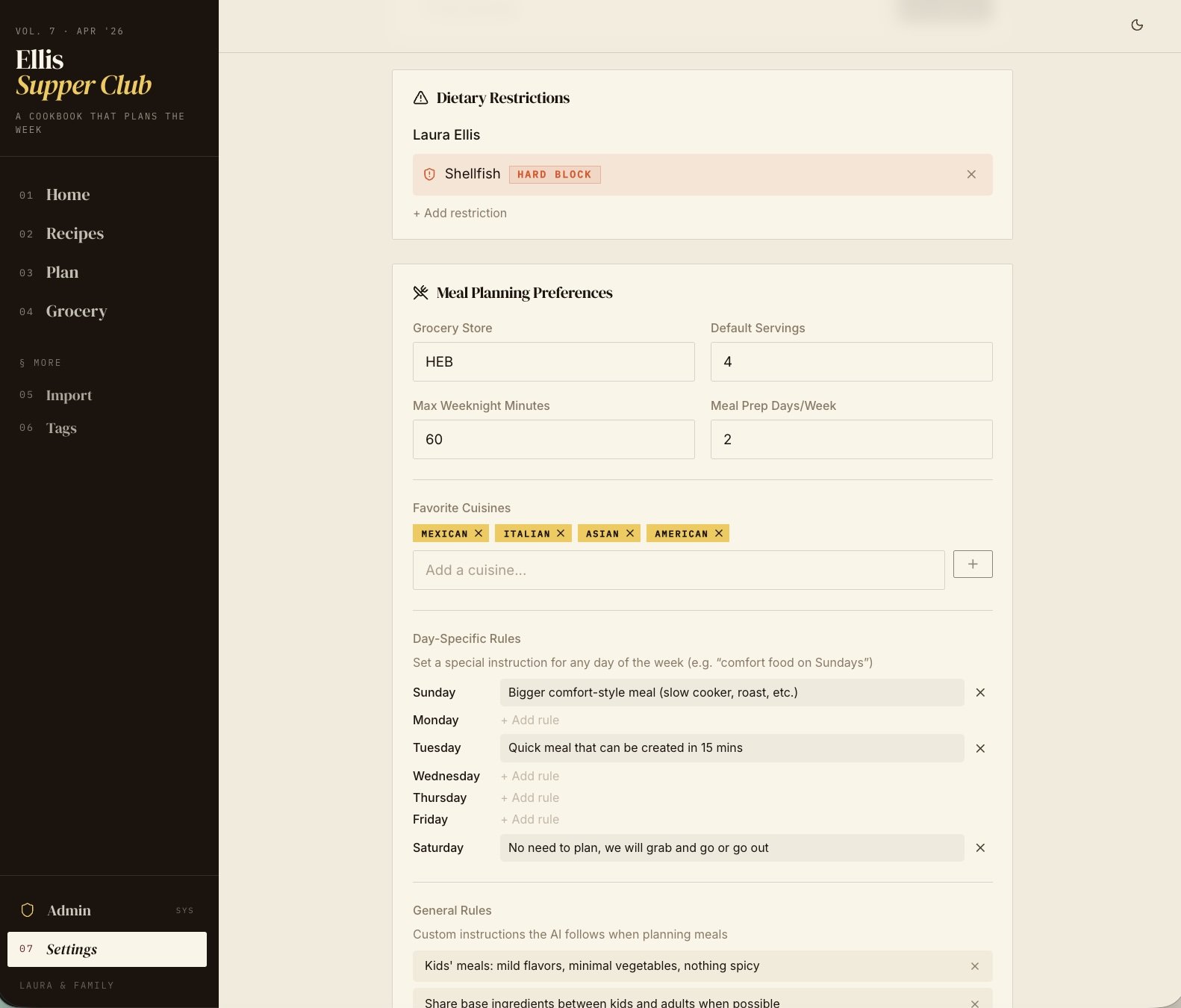
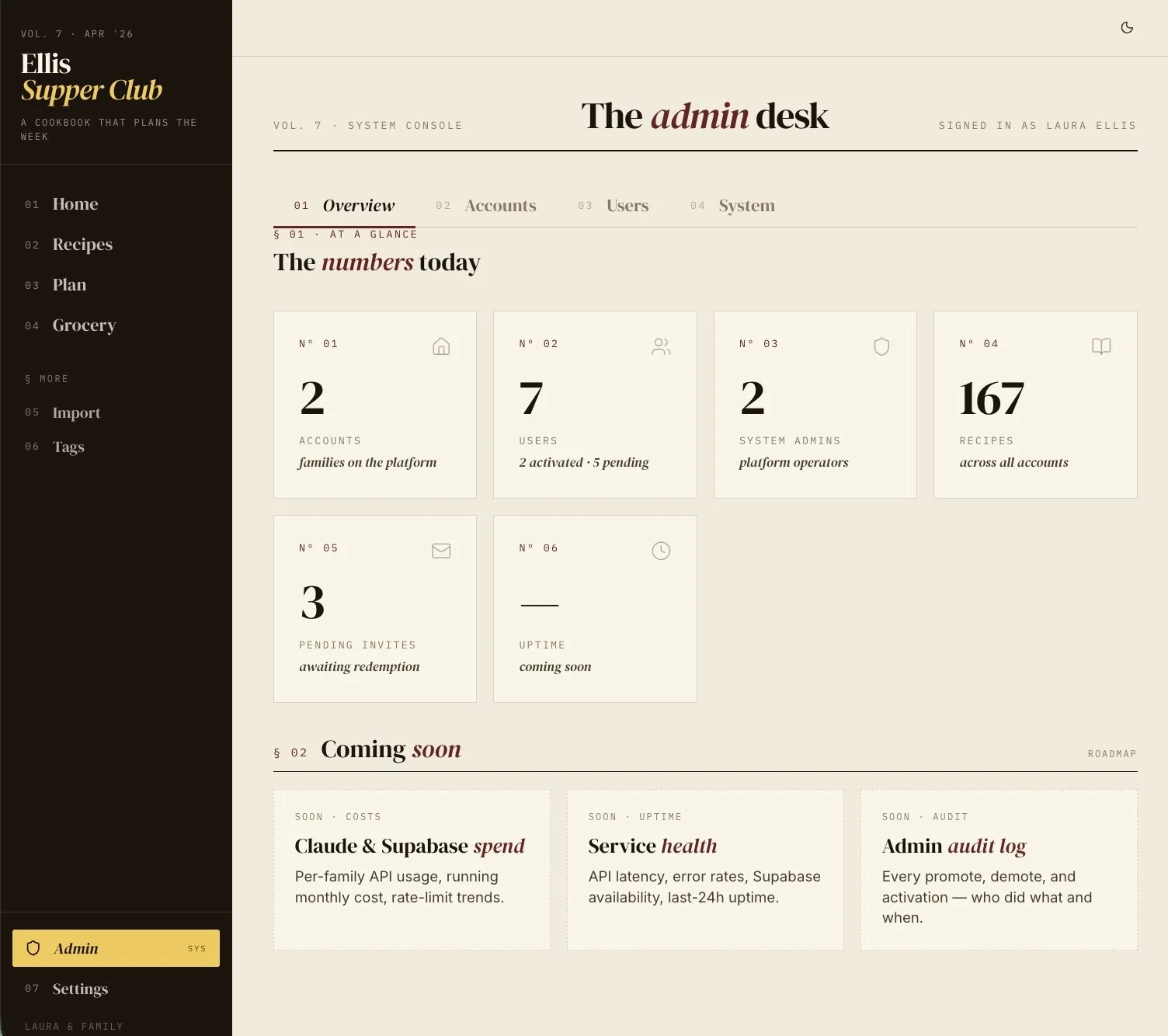
Supper Club is my own personal software. The other thing I built recently that I love involves automation. I have an AI newsletter that arrives in my inbox every morning called The AI Daily. It pulls the news I care about, ranks the stories the way I rank them, and writes the brief in the format I want to read. I built it with Claude Cowork, which means there is no app, no front end, no deploy. It is just an automation that produces a hyper-personalized artifact every day. I read it with my coffee every morning, and it has replaced a number of usual sources that I used to scroll through. If a full website feels like too much, an automation workflow that produces something useful on a schedule is a great place to start.
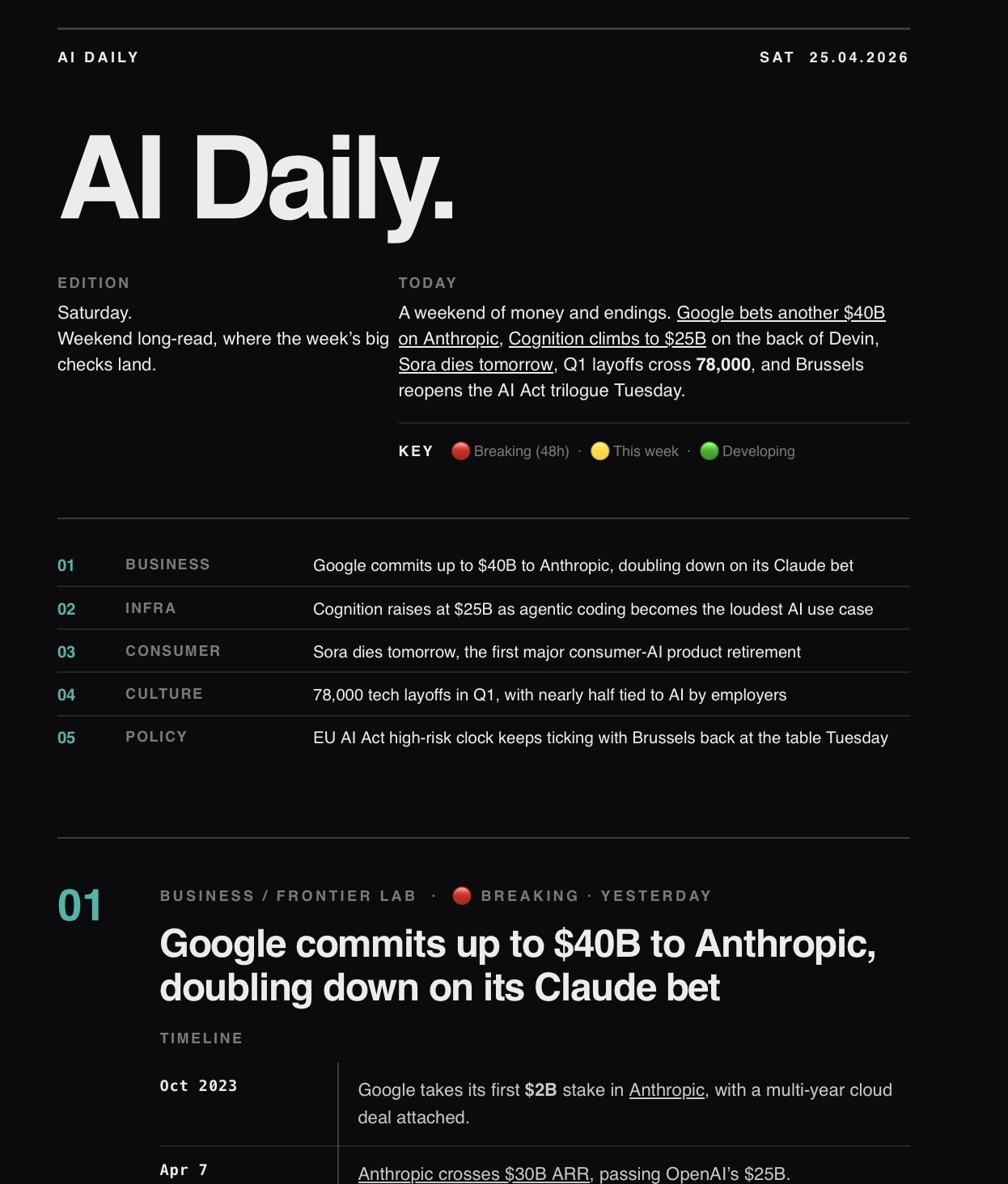
My customized AI Daily newsletter
The other apps that came out of the patio session followed the same pattern. My husband is building a Halloween website that pairs with the elaborate haunted house walk he puts on. Neighborhood families can customize the experience as trick or treaters move through. One friend started a renovation planner that balances her budget against materials, delivery dates, and contractor schedules. Another started what she is calling "Yelp for toilets," a road trip app that rates public bathrooms along a route, which sounds like a joke until you have taken long road trips small kids. None of these are likely to become a Silicon Valley unicorn. They are all solving a real annoyance in a real life for the exact person holding the laptop. That category of software barely existed as a viable thing to build a year ago. It exists now.
Will This Kill SaaS?
There is a tweet making the rounds from Johann Sathianathen that captures both the enthusiasm and the trap of this moment in one post. The punchline is that he replaced his SaaS subscriptions with a vibe coded alternative and now pays more in API costs and spends many hours a week fixing the code. He is being funny and he is also being accurate. Replacing SaaS with your own software is not free, and it is not zero effort (to say the least).
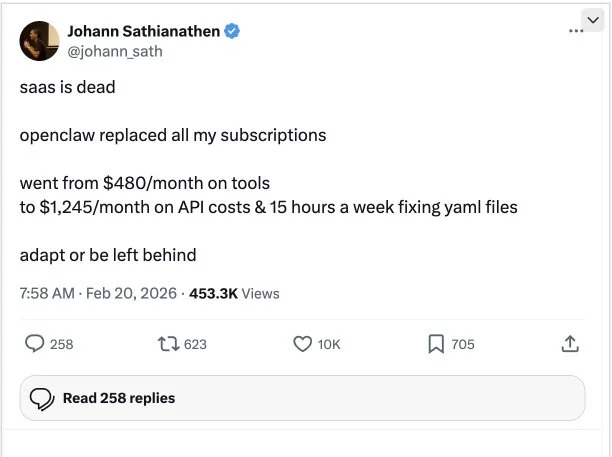
The promise and trap of creating/hosting your own software solutions
SaaS is not going anywhere for products that are meaningfully better as a shared, maintained, secure service. Your company is not going to vibe code its way out of Salesforce or Workday. Most teams are not rolling their own Slack. The economics and the trust model still favor the incumbents for anything that holds customer data, handles money, or sits on the critical path of a business.
What is going to change is the long tail. The hyper-personalized apps where you and a handful of others are the entire customer base. Supper Club. The renovation planner. The bathroom rating app. That category was served badly by generic apps, or not served at all. That category is wide open now.
The other shift I expect is small internal tools at companies. The spreadsheet that ten people share and nobody owns. The dashboard that was 'coming soon' for two years and never quite shipped. Those things are going to get built by the people who need them instead of waiting in line behind an overloaded engineering team. That is healthy, as long as the security and governance can keep up.
The Production Cliff Is Still Real
Writing code is no longer the hard part. Running code in production for a wider audience still is.
There is a steep cliff between an app that works on your laptop and an app that runs reliably on the open internet for people you do not personally know. The cliff is everything around the code. Authentication and database hosting. DNS and SSL certificates. Payment processors if money changes hands, rate limiting and abuse prevention because someone will try to break your app, monitoring and alerting that wake someone up at 3am when things break, and backups that you have actually tested by restoring from them. Compliance with the laws of whatever jurisdictions your users live in. Vendor contracts and SLAs that hold up when a dependency goes down. Cost controls for when something goes viral, or when something goes wrong. Security reviews that hold up to a real adversary, not a checklist.
Every one of those is a discipline of its own. They touch multiple vendors, they have their own failure modes and pricing surprises, and they require integrations the AI agents are not particularly good at yet. Building an app got dramatically easier. Running a production service has not (yet).
For an audience of one, the cliff barely applies. Run it locally. You will be fine. For your family or a handful of friends, you can get away with a lot, as long as you take security seriously. At a few hundred users, you are going to spend more time on infrastructure, integrations, and application operations than on the app itself. If you are building anything that holds real money or real customer data at scale, you are firmly back in expert territory.
Knowing where the cliff is helps you decide what kind of project you are taking on. It also helps you decide when to stop or get help. There is no shame in keeping a piece of personal software local forever. Most of what you build probably should stay there.
The Craft Lessons That Stuck
If you have been doing this for a while, none of these will surprise you. If you have not, they will save you a lot of frustration. I am writing about Claude Code here because that is what I use, but every lesson below applies just as well if you are using OpenAI's Codex, Cursor, Windsurf, or any other agentic coding tool. The names of the tooling features may change, the underlying craft does not.
Start with planning, not prompting. The single biggest lesson I keep coming back to: what you get out of the agent is only as good as what you put in. Boris Cherny, the creator of Claude Code, has said this himself:
"Start every complex task in plan mode. Pour your energy into the plan so Claude can 1-shot the implementation."
Most of his sessions start in Plan Mode and he iterates on the plan until it is solid before he lets Claude touch the code. Professor Ras Mic put it more bluntly on The Startup Ideas Podcast:
"If you don't have the audacity or decency to set up a little extra time up front to plan, then I guarantee whatever you generate is going to be AI slop. And you might blame the model, but really the problem is you."
What this looks like in practice is that I start by engaging with Claude in Plan Mode, and I let it interview me. The Ask User Question tool is amazing. You tell Claude to interview you in detail about your plan, and it will grill you on workflow, UI and UX decisions, trade offs, technical constraints, database choices, cost handling, the parts you have not thought through yet. Every pass of that interview makes the plan sharper. When you finally let it build, it builds the thing you actually want instead of the thing it guessed you wanted.
Build something you really want. When you’re following a tutorial, modify the tutorial to use an example that you care about. The moment the work is about a real problem in your real life, the feedback loop tightens and you stop needing motivation. I stay in the chair for Supper Club because I use it every week.
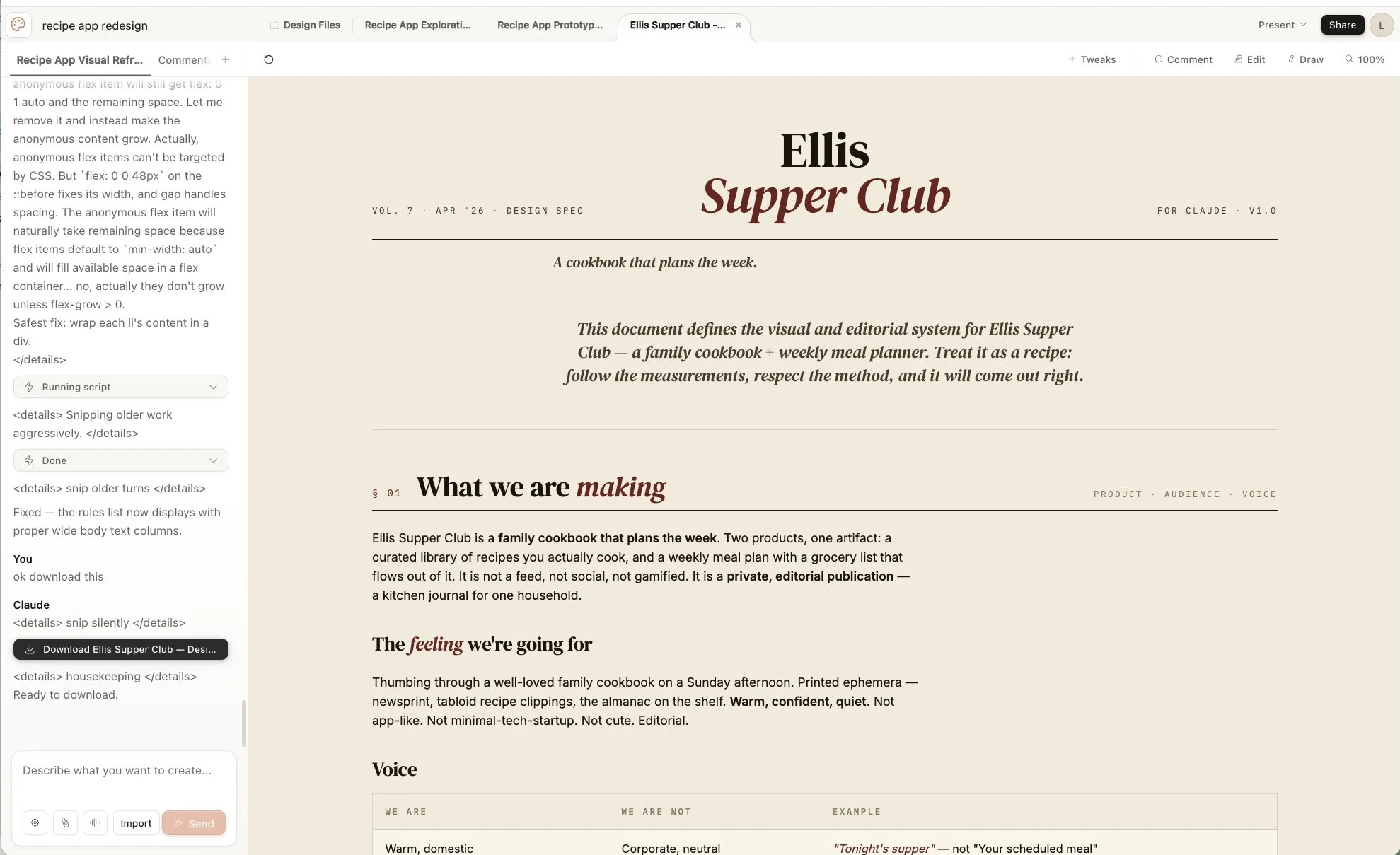
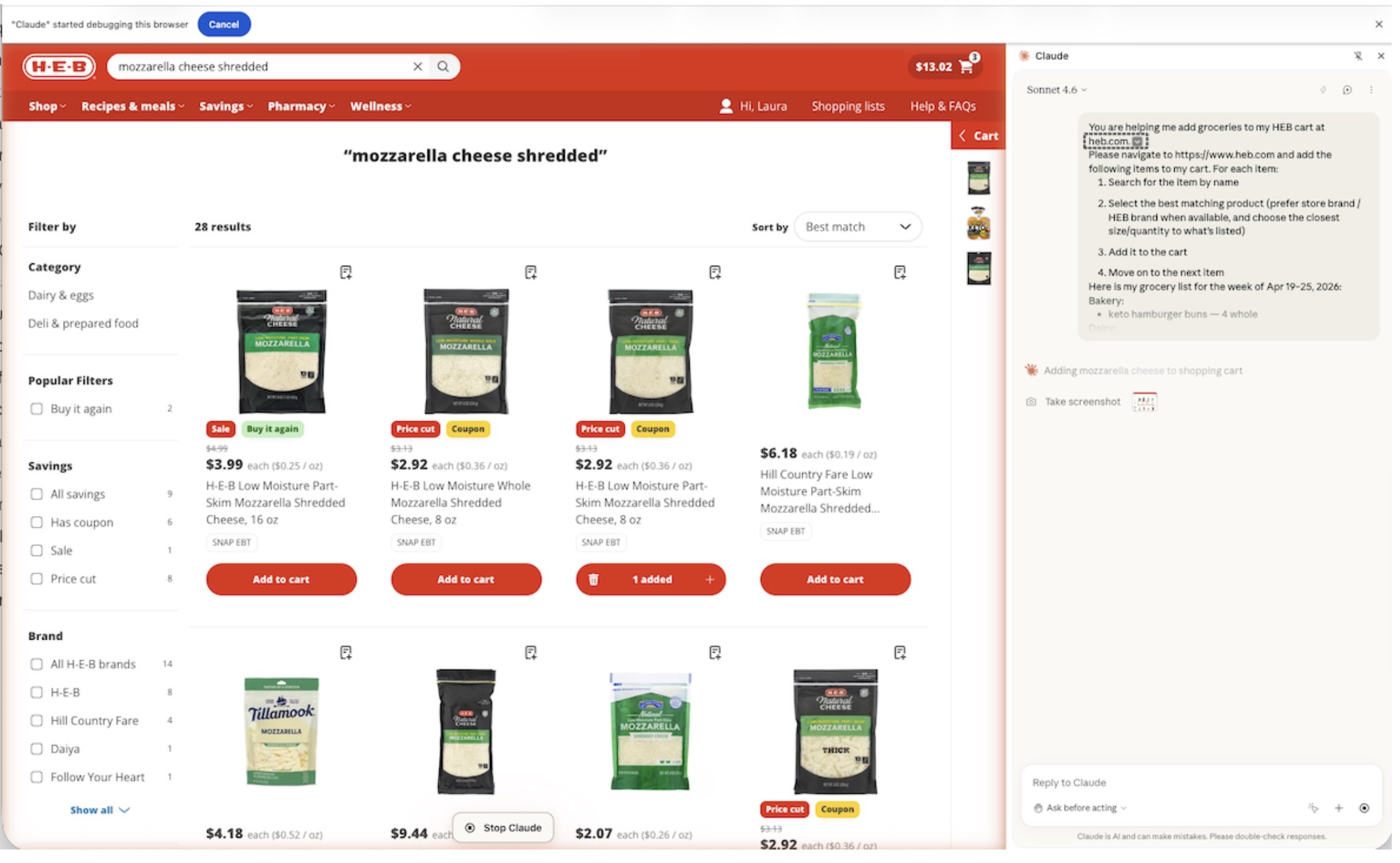
Use your AI tools together. The browser agent, your desktop application agents and the terminal agent are each optimized for different things, and learning how to handle a problem between them is a bigger help than it sounds. I used Claude Design in the scratch pad to mock up a UI direction, then I asked it to package everything into a prototype and design spec, which I pasted directly into Claude Code as the starting point for the build. I used the Claude for Chrome extension while Supper Club is running in my browser to generate detailed bug tickets, which I then handed off to Claude Code to fix. And I use the same Chrome extension to do my grocery shopping on HEB.com, which does not have a publicly available API to call. Supper Club generates the list, the extension drives the cart.
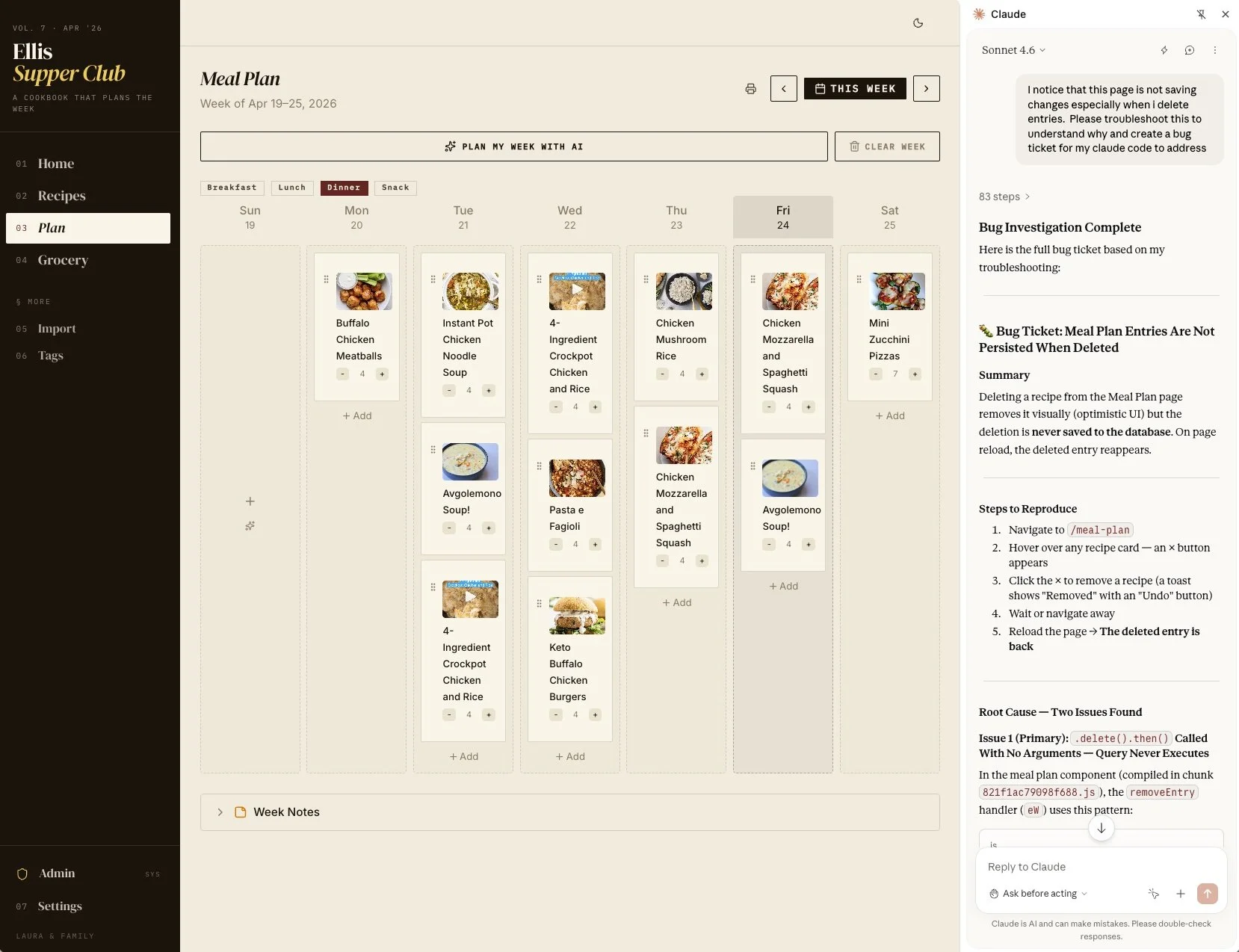
Be specific about what you are looking at. "There is no calendar icon on this page (add URL)" moves you forward faster than "the button isn't working." Give the model the exact URL of the page you are on. Describe the screen. Use an AI browser extension to describe the specific code element names and the problem in developer terms. The tighter your description of what is wrong, the closer the fix is to one shot.
Do not trust "done." The agent will tell you something is fixed and it will not be fixed. If you do not verify, you will believe you are making progress when you are not.
Keep it local as long as you can. There is no prize for deploying early. The moment you push your work to the open internet, everything gets harder. You inherit security exposure, abuse prevention and cost management. Wait until you have a real reason to go public.
Have the AI test itself, and have a different AI check its work. I had Claude run application security reviews on Supper Club, then I had Codex, OpenAI's coding agent, double check Claude's work. Cross checking with a different model from a different lab catches things that a single agent will miss because they share blind spots. I even told Claude up front that Codex was going to review its work, on the theory that a little competitive motivation never hurts.
When you write the review prompts, the framing matters and can have more of an impact than expected. The one that worked best for me was:
You are an expert security engineer and I have just paid you twenty thousand dollars to do one last security scan before I push to production and the open internet. Make sure that everything is locked down, I cannot get hacked or exploited. If I do, you will owe me thirty thousand.
The output was noticeably more thorough than a generic "review this for security issues" prompt.
Leverage available security tooling. There are a growing number of free and open source tools that scan agent configurations and code for common vulnerabilities. A few practical starting points: Claude Code has a built-in /security-review slash command that runs a security audit on demand, and Anthropic published an official Claude Code Security Review GitHub Action that comments on pull requests automatically. On the GitHub side, they have made available Dependabot to find and fix vulnerable dependencies. These tools are free, are quick to enable, and catch common hobbyist mistakes: outdated dependencies with known vulnerabilities, and API keys accidentally committed to Git. For a readable primer on the kinds of vulnerabilities that will actually show up in a small app, the original OWASP Top 10 is short and worth a skim.
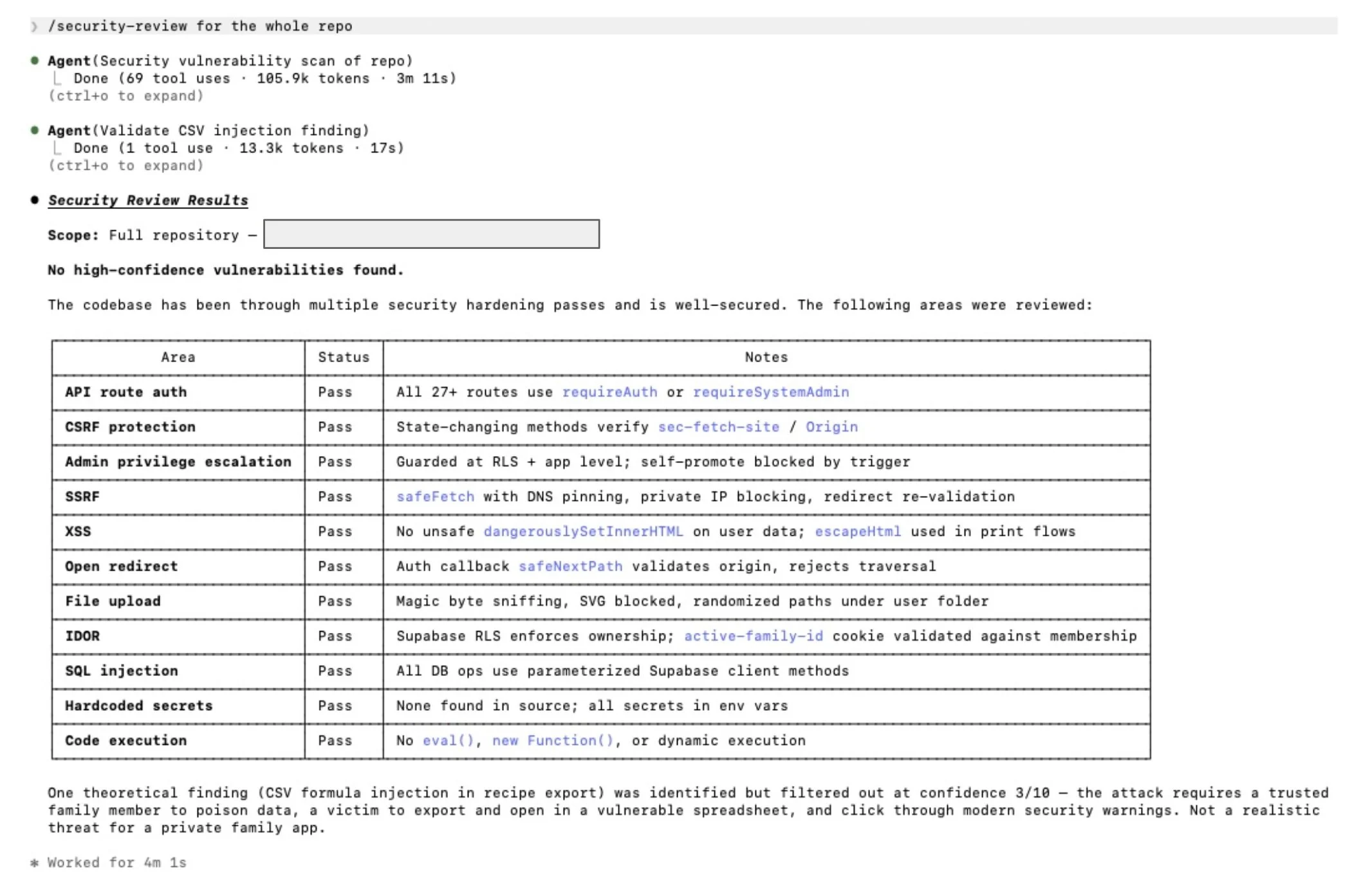
Example results of running the built in /security-review command on the Supper Club code base
If you decide to deploy publicly, the security review is the start, not the finish. I deployed Supper Club because it needed to work from our phones at the grocery store and in the kitchen, and the data stored is not sensitive (recipes and meal plans). Still, before I opened the doors, I worked through this checklist:
Add authentication that fits the audience. If it is just you, single user auth is fine. If you are inviting friends and family, set up real accounts with password requirements.
Lock down your database. If you are using Supabase or similar, row level security policies are not optional. Test them.
Check your secrets. Make sure no API keys, tokens, or credentials end up in your frontend code or your Git history.
Rate limit anything that costs you money. AI API calls in particular.
Log enough to know what is happening.
Consider what a bad actor could do with your app and close those doors before they have the chance.
Ask an expert: if your app handles sensitive data, get a software engineer to look it over before you ship. AI review and automated scanners catch a lot, but neither is a substitute for a human who knows what they are looking at.
The goal is not to scare you out of going public. The goal is to make sure that when you do, you go public with something you are ready to stand behind.
Just Get Started
If you have been reading along thinking you have already missed the wave, I want to say this directly. You are not behind. This space has changed so much in the last four months that nobody can claim to be too far ahead. The tools I used to build Supper Club barely existed a year ago. What matters is getting your hands on it. You will not truly understand what is possible until you have built one thing that is yours. The gap between reading about AI and building with AI is large, and the only way to close it is to build the crappy first version of something you truly care about. Ask your AI for help along the way. That is not cheating. That is the whole point.
Here is exactly how to start, depending on which on-ramp fits you. I am walking through the Claude path because it is the one I know best, but the equivalent steps exist on the OpenAI, Google, as well as inside the app builder tools like Cursor, Windsurf, Replit and Lovable. Pick the stack that works for you and follow its quickstart.
Get started with Claude Code
This is what I used to build Supper Club. It is a real coding agent that runs in your terminal, your IDE, or the desktop app. There is a learning curve, and it is worth it. The first version of Supper Club did what I needed it to do, but it was rough around the edges. The second was sharper. The version I run today is the seventh or eighth, and it finally feels right.
Install Claude Code. Follow the official quickstart. If you do not have Git, the installer will prompt you. Heads up: a few of my friends had the install prompt hiding behind their Claude desktop window. Watch for that. If you miss or close the install window, just restart the Claude desktop app and it will come back.
Start in the Claude Code tab of the Claude desktop app if you are not familiar with the terminal or with code editors. It is the easiest entry point.
Follow a video tutorial. I like this one, but use whichever one clicks for you.
Pick a real project, not the tutorial example. Follow along with the tutorial, but swap in something you really want to build. The feedback loop is what teaches you, and the feedback loop only works if you care about the output.
Use Plan Mode first. Type /plan and tell Claude what you want. Following the video, the prompt is something like "I want to build a [your idea]. Write this in prd.md."
Have Claude interview you. Then run a prompt like "Read this plan file and interview me in detail using AskUserQuestionTool about literally anything: technical implementation, UI and UX, concerns, trade offs, etc." Let it grill you. The plan gets sharper every pass.
Read your plan. At this point you may want to view the prd.md file in something nicer than in the desktop app. Find prd.md on your computer and open it in any markdown viewer. If you really do not care, just read what shows in you in the Claude desktop app.
Code and fail. This is the first step. You will get stuck. The agent will be wrong. You will fix it together. That is the work.
Get started with Claude Cowork
This is what I used to build my AI Daily newsletter. No terminal, code editor or deploy. If you want a personal automation that produces something for you on a schedule, this is the easier starting point.
Open Claude Cowork in your Claude desktop app. It sits alongside Chat and Code.
Follow a tutorial. I like this one by Boris Cherny, the creator of Claude Code.
Pick a daily or weekly task you wish you had automated. For example: a morning news brief, a weekly Slack digest of your team's activity or a Sunday night summary of your inbox. Anything you would happily delegate to someone else if possible.
Describe the outcome and the cadence. Cowork plans the steps and shows them to you before it acts. Approve, redirect, or refine.
Let it run a few times before tweaking. Personal software gets better through iteration. I am still adjusting AI Daily based on the emails I get each morning.
The point of both of these on-ramps is the same. Stop reading about it. Build something small.
Is It Actually Worth It
Yes, if you are learning and getting value from what you build. That is the bar. You are probably not going to sell your app. You are probably going to spend more than you would have on SaaS subscriptions once you count API costs and your time. The dollar math also misses the point.
Until recently, the thing you wanted was something you had to wait for. Maybe a SaaS company had bigger customers to serve or an internal team at work had a backlog you were nowhere near the top of. You lived with the gap and waited on someone else to close it. Now you can build the thing yourself, this week.
That is what the title of this post means. Hyper-personalized software exists because you needed it to.
The other reason I keep pushing the people in my life to try this is the moment we are in. AI is changing fast, and the people who will be comfortable with it down the road are the ones building something now, hitting the walls, learning where it works and where it does not. So pick something in your life that drives you slightly insane, and build the first version of whatever fixes it.
I would love to hear what you are building. What was your first app or automation, and what surprised you? If you have not started yet, what would you like to build?
